From scan to storage: How to manage documents securely without juggling multiple apps
- Moumita Bhattacharya
- Dec 13, 2025
- 5 min read

The majority of the people do not have difficulty in scanning documents. They find it difficult with whatever follows. One scanner application is used to scan a receipt, a certificate is saved in a cloud folder, an agreement is saved in email, and another PDF is buried in a phone gallery.
Each of these actions, on an individual basis does not appear harmful. They cause chaos in the long run, together.
Document management is not just about scanning a document and then stopping there, but what follows after that. Societies without a networked system have the problem of scattered, duplicated, and inaccessible documents. It should not be necessary to alternate between five applications to deal with paperwork safely.
Here is where a combined digital document scanner with an inbuilt arrangement and storage is necessary.

The hidden cost of juggling multiple document apps
Initially, an implementation of a variety of apps can seem flexible. One app scanner of documents to scan, one reader scanner of documents to view, a cloud storage folder, and an app to share. In the long term, this strategy causes tension.
Common problems include:
Saved files in various places.
None of the uniform structure or naming.
Inter-platform security weaknesses.
Time wasted searching
The distribution of documents in tools makes it hard to handle documents in a reliable manner particularly when the problem is urgent.
Why scanning alone doesn’t solve document problems

A scan scanner device is used to convert paper to a computer file. That’s useful, but incomplete. A scan lacking a proper home is nothing more than a floating file.
Automatic connection to: should be to true digital scanning.
Digital Document storage security.
Structured organization
Easy retrieval
In the absence of that connection, the users will re-scan documents one after another or become lost completely. That is why scanning should be regarded as the component of the bigger system, rather than as a single action.
From scattered files to structured document management
An effective document management scanner is a tool that eliminates the hassle of having to switch between apps since it integrates scanning, storage and organization.
Instead of:
Scanning in one app
Uploading to another
Organizing manually
All this occurs within a single system. Each scan fits perfectly where required. This method minimizes misunderstanding and creates long-term understanding.
Secure digital document storage: the missing link
The number of people who scan documents and save them on generic cloud folders goes up. Although this approach is convenient, it does not have the protection required on sensitive information.
Secure digital document storage is developed in the use of documents. It focuses on:
Protecting sensitive files
Controlling access
Maintaining file integrity
Security is automatically enhanced when storage is constructed on documents, but not general files.
Managing documents without losing control
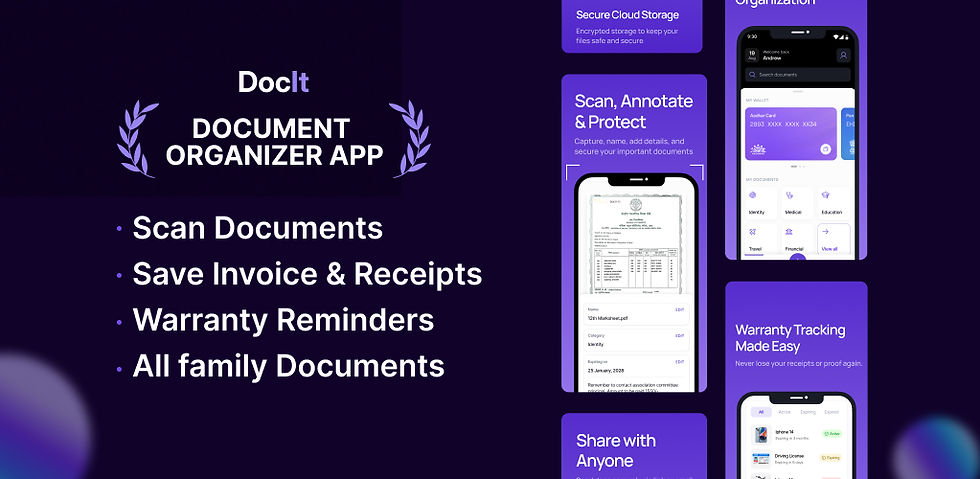
Organization of digital documents will make sure that the documents will not be ineffective even when scanned long after. Organization provides answers to such important questions:
Where is this document saved?
What is it used for?
Is it still valid?
This process is easily made painless by a scan to document app which adds structure as the scanning is being done. Documents are sorted properly at the start rather than sorted manually later.
Scanning a document with your phone, done right
The document scanner on the phone has transformed the way people will handle paperwork. Phone based scanners are ubiquitous in classrooms, offices and even homes.
There must however be a good system behind scanning on the go. A page scanner which simply stores images on your computer is cluttered. An integrated scanner system will make sure that:
Files are saved securely
The documents are appropriately categorized.
Retrieval is intuitive and quick.
Organization ought to be supported by convenience rather than being undermined.
Why all-in-one scanners outperform single-purpose apps
All in one scanner will eliminate the usage of different tools. Instead of juggling:
Scanner apps
Storage apps
File managers
The users operate in a single system.
This minimizes mistakes, duplication and frustration. It also enables the document management to be available to the non-technical users who merely desire things to work.
Free scanner apps vs long-term document systems

Documents free scanner tool is a starting point for many people since it seems to be adequate. These applications can be very useful when it comes to short term scanning.
However, with long-term document management, free tools tend to be missing:
Reliable security
Smart organization
Document control that is centrally located.
With time, users will note that the cost of switching between apps is more expensive in terms of lost productivity than the costs saved.
A document management personal scanner does not restrict you but instead increases as you grow.
Document management as productivity software
The way documents guide day-to-day production productivity has influenced how we define and develop modern scanning devices; as such, we no longer regard them as simple tools, rather, we view scanning devices as an integral part of a comprehensive set of business software and productivity tools.
Key features of a complete set of business and productivity software tools include:
Maintaining documents secure
Providing immediate access to files
Reducing the effort to organize files
Proper document management will save time and reduce stress, allowing the user to make informed decisions.
Real-life situations where app juggling fails
Juggling apps becomes a serious problem during:
Banking KYC requests
Travel check-ins
Job applications
Emergency situations
In these moments, searching across apps is not just inconvenient, it can be costly. A system that lets you scan, store, and retrieve within one platform ensures you are always prepared.
Building trust in your document system
An effective document system creates trust. Users can be assured of their documents when they get to know where to find them, hence they do not worry about losing files.
An encrypted scanning and storage process:
Reduces anxiety
Improves efficiency
Promotes regular usage.
As opposed to paperwork evasion, users are confident in operating it in the digital world.
Why “scan now, organize later” doesn’t work
Most individuals are late in organizing because they plan to arrange files at a later time. In actual sense, the day will hardly arrive.
A document system should sort files during the scanning of files. Otherwise, rubbish is accumulated and overwhelming.
That is why a scanner document tool that has access to storage and organization is better than isolated applications.
Creating a single source of truth for documents
Document management is a simple goal, just a single reliable location of all valuable documents.
In the event of scanning, storing, and managing simultaneously:
Files are never duplicated
Documents are easy to find
Security stays intact
This source of truth alone makes life easier, both at the personal and professional level.
FAQs
1. Can I scan and manage documents in one app?
Yes. A scan to document app like DocIt lets you scan, organize, and manage files in one secure place.
2. Is digital document storage safe for important files?
When built specifically for documents, it offers better security, access control, and file protection than general cloud folders.
3. Why avoid using multiple apps for documents?
Multiple apps cause clutter and wasted time. An all-in-one system keeps documents organized and easy to find from the start.
Final Thoughts
You have got fed up with using scanner apps and cloud folders, file managers, etc. it is time to have an easier way. DocIt allows you to scan, store and manage your documents in a safe place, thus eliminating the need to switch applications, you are able to easily remain organized.


Comments