Choosing the right document scanner app for long-term digital document organization
- Moumita Bhattacharya
- 3 days ago
- 5 min read

Scanning documents is easy. It has not organised them over the years. A majority of users begin with a basic document scanner application in order to scan some papers. Such scans eventually become hundreds of files scattered in folders, devices, and cloud systems. What started as a solution gradually turns out to be a problem.
The appropriate document scanner application can make or break the difference even in the case when you want to organize your digital documents in the long-term. The most useful applications are not merely created to scan a document once, but to enable you to organise and have security of a file way beyond the time you originally created it.

Why long-term document organization requires more than scanning
A fundamental scanner application takes pictures. A system that is long term establishes order.
A lot of app scanner app tools tend to pay a lot of attention to the quality of scans, filters, and exporting. These features are useful, but do not consider what will occur after months or years when you are in urgent need to access a given file.
Long-term organization entails:
Consistent structure
Digital document storage security.
Easy document retrieval
Minimal manual effort
In the absence of these, even the finest scan will be hard to use.
The common mistake people make when choosing a scanner app
The majority of users select a document app scanner depending on temporary requirements:
“It’s free.”
“It scans fast.”
“It works on my phone.”
These conditions are effective when scanning a document periodically but not when it comes to serious document management. Over time, users struggle to:
Find old scans
and move out significant files and temporary files.
Reliability in the places they keep their paperwork.
An individual scanner must be determined with a long term clarity but not necessarily short term convenience.
Key question to ask: what happens after the scan?

There is one question that needs to be asked before a scanner doc tool is selected:
What happens to the document after the scanning?
If the answer is:
“My phone gallery”
“A random cloud folder”
“Wherever I remember”
Then the app is not created as a long-term organisation.
An efficient digital document scanner must direct the document to a systematic system straight away.
Digital document organization starts at the scanning stage
It is not that proper digital document organization starts when you sort your files later, but rather when you scan a document.
An excellent scan to document application is one that:
Paperwork is organized in a rational manner.
Files have a clear purpose
Storage remains consistent
It will save time in the future and ensure that there is no accumulation of digital clutter.
Why phone-based scanners need stronger organization
Flexibility is unparalleled with a document scanner on a phone. The documents can be scanned anytime anywhere, at a meeting, at a bank, when traveling, or at home.
Nonetheless, this convenience usually results in sloppy saving. A page scanner that just makes scans and saves them either locally or exports them out of structure generates confusion in the future.
Phone scanning is compatible with:
Digital document storage security.
Smart categorization
Easy access across devices
In the absence of this, mobile scanning becomes disadvantageous.
Security matters for long-term document storage

Documents are stored over the years and most of them are sensitive. Certs, id papers and financial records and contracts are not to be handled lightly.
A secure document scanner application guarantees:
Protection against unauthorized access of files.
Storage is privately constructed.
Documents do not damage even as they get old.
Document systems need security which is not optional but necessary in the long term.
Why free scanner apps often struggle at scale
There are a number of users who depend on free scanning solutions of documents as they operate well at the first stage. However, with the increase in volume of documents, there are constraints evident;
Poor organization tools
Lack of central document management.
Limited control over files
Free scanning scanner applications are usually short term and not long term when it comes to handling documents.
The consideration of a scanner that is long-term is a time-saving move and frustration-free in the future.
All-in-one scanners vs single-purpose tools
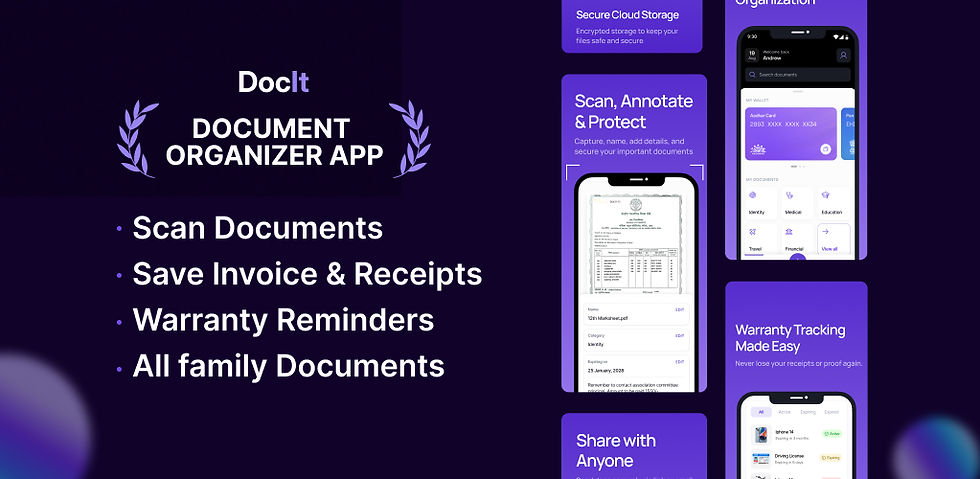
An independent scan application records tool is a scan only application. An all in one scanner links scanning to storage, organization and management.
The disparity is made quite obvious over time:
Fewer apps to maintain
Single reliable place of documents.
Faster retrieval
A coordinated system assists the users in being consistent, and this is the secret to being effective in digital organization.
Document management as a productivity habit
Keeping documents properly is not only about storage, but it is also a matter of how productive we are. That is why modern scanners are not only computer utilities but business and productivity software as well.
In cases where documents are simple to scan, store and access:
Tasks complete faster
Stress is reduced
Confidence increases
The most appropriate business productivity software is aimed at easing the process of handling documents and making it dependable.
Who needs long-term digital document organization most?
Although all people will gain access to smart document systems, some of them will be particularly required by one or another user:
Student control of academic records.
Experts dealing with agreements and documents.
Family holding common records.
Single-hand work: preparation of business paperwork.
All these groups are prepared in a document management scanner without any effort.
How the right scanner supports document lifecycle management
The documents are not still, they do have lifecycles. They are manufactured, consumed, deposited and even discarded. This whole journey is facilitated by a powerful scanner system.
A smart scanner assists users instead of developing stacks of unused scans:
Keep only what matters
Know the purpose of documents.
Reduce clutter over time
This is the distinction between storing files and actually managing files.
What to look for when choosing a scanner app
When choosing a long-term document scanner application, consider the following:
Digital document storage security.
In-built document management.
Dexterity when handling files across time.
Light dependency on various applications.
Such attributes are much more important than glam features.
Why consistency is the real goal
The document system that is used is the most appropriate. Complicated arrangements cease to exist since individuals will cease to adhere to them.
A long-term-organizational scanner promotes good habits by:
Reducing effort
Storing papers at a single location.
Making retrieval intuitive
Uniformity leads to clarity, and clarity will produce trust.
FAQs
1. Why isn’t a basic scanner app enough long term?
Because it only scans. Without organization and security, files become hard to find over time.
2. What matters most in a scanner for long-term use?
Built-in organization, secure storage, and easy retrieval; not just scan quality.
3. How does DocIt help with long-term document organization?
DocIt scans, stores, and organizes documents securely in one place, so files stay easy to manage for years.
Final Thoughts
You may wish to have more than a scanning tool, then the system that is designed to be organized and secured over a long period.
DocIt assists in scanning, retaining, and categorizing documents at a single secure location, thus your electronic document system will remain uncluttered, dependable, and stress-free over the years.


Comments